Horion 86” Smart Board Review for Beginners: Transform Your Office or Classroom with Touchscreen Simplicity
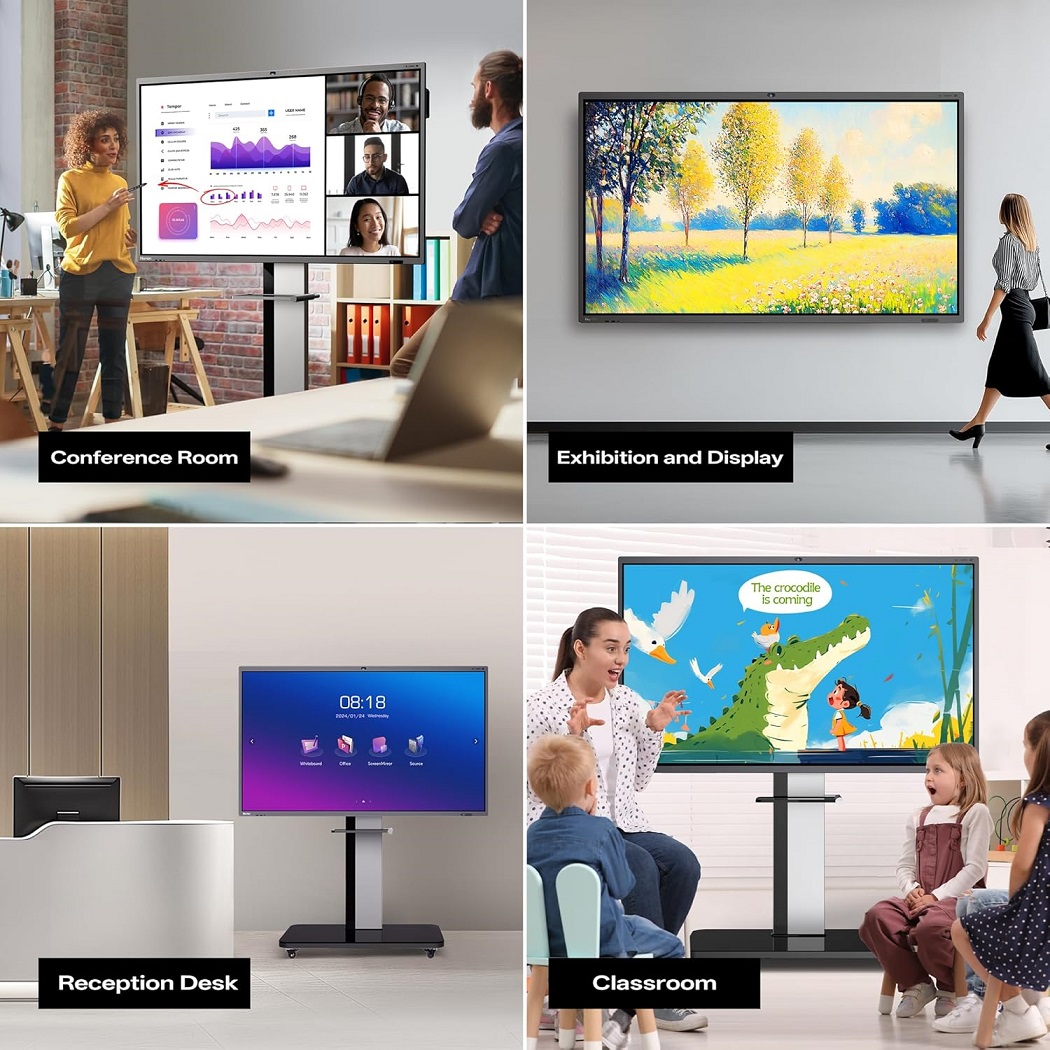
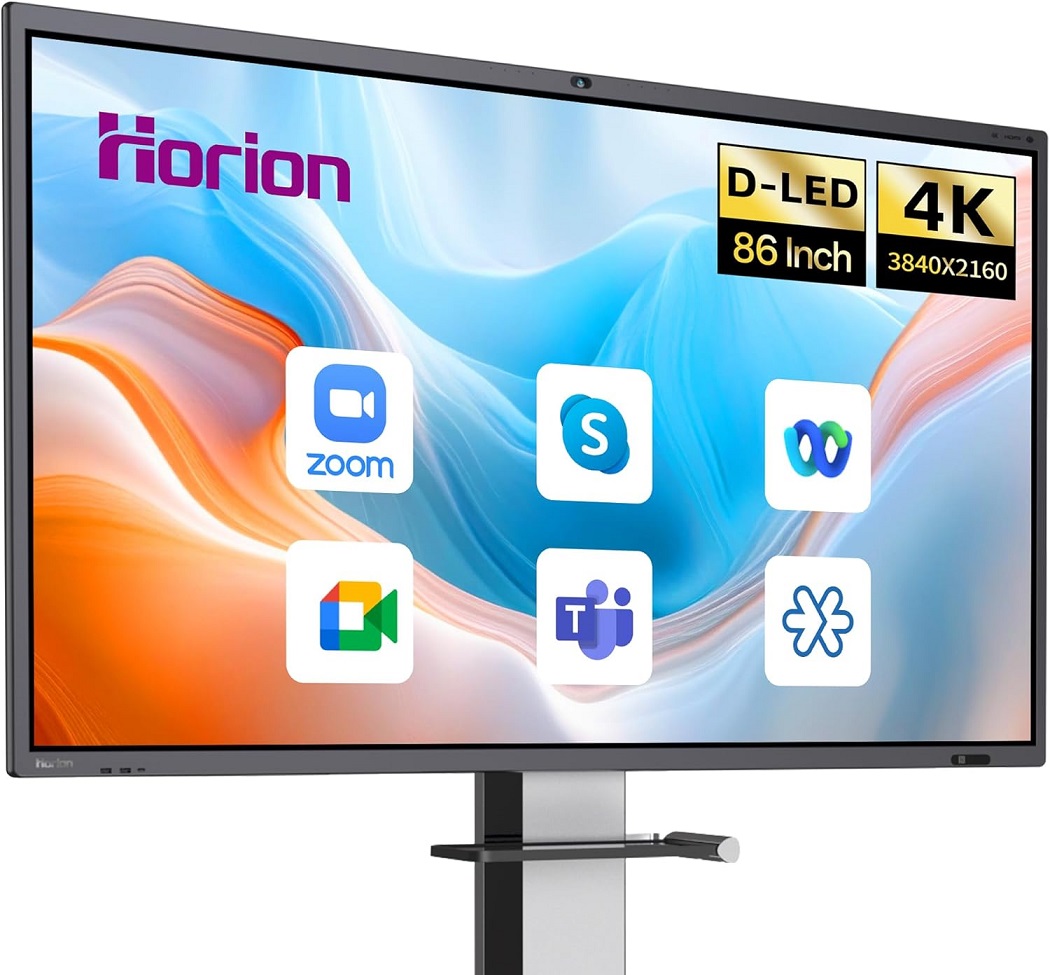
Looking to upgrade your office or classroom with a next-generation presentation tool? Whether you’re a teacher stepping into digital learning or a business leader seeking interactive solutions, the Horion 86″ Smart Board 4K Interactive Display offers a powerful all-in-one experience that’s surprisingly beginner-friendly.
This digital whiteboard is more than just a screen—it’s a fully interactive, Android-powered smart board with built-in video conferencing, multi-touch functionality, and high-resolution clarity. If you’ve never used a smart board before, don’t worry. We’ll walk you through what it does, how it works, and why it’s perfect for modern education and business collaboration.
Quick Overview
- Display: 86-inch 4K UHD touchscreen
- Touch Points: 50-point multi-touch support
- OS: Android 13 (All-in-One System)
- Camera: 48MP built-in camera with noise-canceling mic
- Use Cases: Classrooms, boardrooms, training, and hybrid meetings
- Accessories: Comes with a wall mount included
What is the Horion Smart Board?
The Horion 86” Smart Board is an interactive flat panel display that functions as:
- A digital whiteboard
- A 4K presentation screen
- A video conferencing station
- A smart touchscreen computer
Powered by Android 13, it works like a giant tablet, giving you access to apps, internet, file sharing, and real-time collaboration tools—all from one sleek screen.
Beginner-Friendly Setup and Interface
Despite its size and power, this smart board is incredibly easy to use. Here’s why beginners love it:
- Plug-and-play setup with included wall mount
- Familiar Android interface with app drawer, browser, and settings
- No need for external devices—just power it on and go
- Intuitive whiteboard app that allows free drawing, note-taking, erasing, and saving
Teachers, presenters, and managers with little to no tech experience can operate it confidently in minutes.
50-Point Multi-Touch – What It Means for You
Unlike traditional projectors or whiteboards, the Horion smart board supports up to 50 touch points simultaneously. This means:
- Multiple users (teachers and students, or team members) can write or interact at once
- Pinch-to-zoom, swipe, draw, and write with fingers or a stylus
- Interactive learning, group brainstorming, and collaborative presentations become seamless
For beginners, this feature allows for a fluid, hands-on experience that feels natural, like using a giant tablet.
Built-In 48MP Camera – Ready for Hybrid Work & Learning
With remote work and hybrid classrooms becoming the norm, built-in conferencing features are a must. The Horion smart board includes:
- A high-resolution 48MP camera for crystal-clear video
- Noise-canceling microphones for clear voice pickup
- Support for apps like Zoom, Teams, Google Meet, and more
Whether you’re teaching online or hosting a virtual meeting, everything you need is already built in—no external webcam required.
Digital Whiteboard Functionality – More Than Just Drawing
The integrated whiteboard is the core of the experience. It allows users to:
- Write with multiple colors
- Use shapes, arrows, and charts
- Save sessions to cloud or USB
- Collaborate in real-time with remote participants
- Import PDFs, Word docs, and images to annotate
This makes it ideal for:
- Teachers explaining concepts
- Students engaging in problem-solving
- Teams brainstorming ideas visually
Ultra HD 4K Display – Sharp Visuals, Better Engagement
The 86″ 4K resolution display offers:
- Crystal-clear text and visuals
- Anti-glare glass for better visibility in bright rooms
- Smooth video playback for media, animations, and lessons
- Enhanced engagement for viewers, learners, and clients
First-time users will be amazed by the detail and clarity compared to traditional boards or projectors.
Built-in Android 13 – Powerful, All-in-One OS
With Android 13 integrated, the smart board lets you:
- Download apps from the Google Play Store
- Use Google Drive, YouTube, Chrome, Gmail, and more
- Stream content directly without external computers
- Run Office tools like Word, Excel, and PowerPoint
It’s essentially a smart touchscreen PC with an extra-large display—accessible even to beginners with basic smartphone skills.
Speakers and Microphones – Everything Built In
For classrooms and boardrooms, clear audio is just as important as video. The Horion smart board includes:
- High-fidelity built-in speakers
- Noise-canceling mic array for crisp, clear voice transmission
This makes presentations more professional and allows remote attendees to hear and be heard without needing extra hardware.
Expandability & Connectivity
The Horion smart board includes:
- Multiple HDMI, USB, and LAN ports
- Wireless screen mirroring (from laptops, phones, tablets)
- Bluetooth and Wi-Fi support
- Compatibility with Windows, macOS, iOS, and Android devices
It fits smoothly into any setup—no tech headaches for new users.
Versatile Applications: Who is This For?
Perfect for:
- Teachers & educators bringing lessons to life
- Corporate trainers engaging teams during workshops
- Managers running virtual meetings or brainstorming
- Students learning interactively
- Churches or nonprofits needing large, shareable displays
No matter your industry, if you’re presenting, teaching, or collaborating, the Horion board makes it easier.
Installation & Support
Installation is made simple with the included wall mount. If you’re unsure, Horion offers customer support and setup guides, or you can hire a local technician. Once mounted, you’re ready to connect and start using it right away.
Final Thoughts: Is the Horion Smart Board Worth It?
For beginners stepping into digital classrooms or smart offices, the Horion 86” Smart Board checks all the boxes:
- Easy to use
- Visually stunning
- Fully integrated with Android and conferencing tools
- Built for collaboration
You don’t need to be tech-savvy to operate it, and it replaces multiple tools with one elegant solution.
If you’re ready to upgrade your presentations, engage your team or class, and future-proof your environment, the Horion Smart Board is a smart, powerful, and beginner-friendly investment.
👉 Check Price and Availability

Similar Posts
























I’ve been browsing this site for a while
now—always impressed with the content quality.
Thank you so much. Stay with us to experience something different every day.